
Ticketing data tells you what happened.
Who bought. What they bought. Which event they attended.
But it doesn’t necessarily tell you why they came, what they thought, or what they want next.
Surveys can add another signal to the audience picture: what people choose to tell you in their own words and answers.
WHAT THEY BOUGHT
Ticket history
WHAT THEY DO
Engagement
WHAT THEY ALLOW
Permissions
WHAT THEY TELL YOU
Surveys
↓
BETTER AUDIENCE VISIBILITY
Audience understanding gets clearer when different signals can be considered together.
The right survey starts with what your organisation needs to learn.
AFTER AN EVENT
“How would you rate the event?”
AUDIENCE PREFERENCES
“What kind of events would you like to hear more about?”
FESTIVAL FEEDBACK
“What worked well? What could be better?”
VENUE EXPERIENCE
“How was the information, service or venue experience?”
AUDIENCE DEVELOPMENT
“What would make you visit more often?”
These are illustrative questions. The questions you choose should reflect what your organisation wants to understand and what decisions the answers should support.
The interesting thing about Surveys in Lily is not simply collecting hundreds of responses in a separate survey platform.
Where Lily supports the relevant linkage, survey responses can become another audience signal alongside purchases, permissions and engagement. This does not mean every answer is always connected to a known person, profile or event.
Feedback becomes more useful when it can be understood alongside what you already know about the audience, rather than living in an isolated spreadsheet or report.
After-event communication is an obvious example.
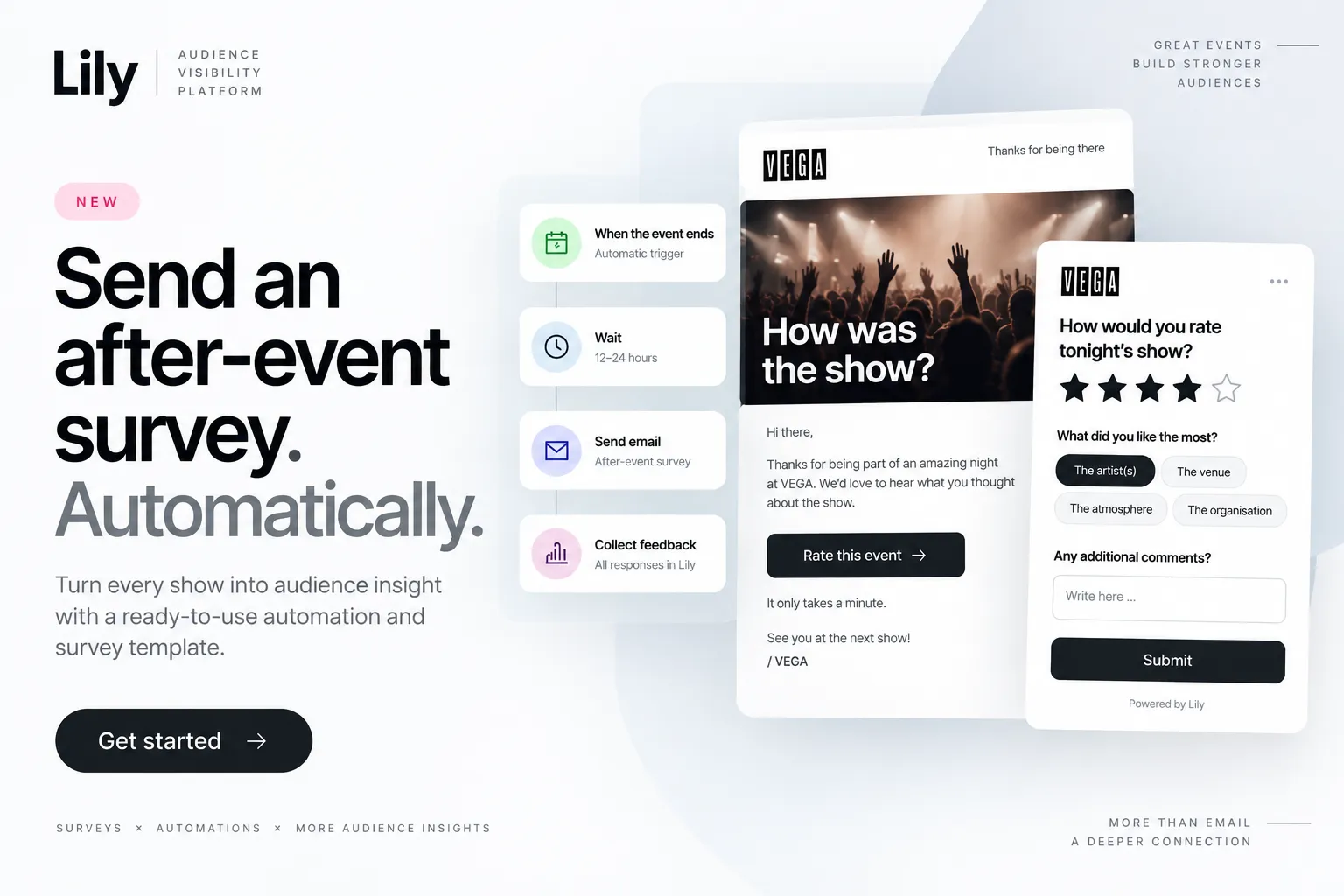
An event ends, Lily waits according to the configured automation, and the relevant audience receives a feedback request. Where the relevant linkage is supported, the responses add to what the organisation can learn from the event.
The initial setup can be prepared and activated together with the Lily team.
https://www.lily.no/use-cases-after-event-feedback
Surveys in Lily lets you create questions, collect feedback and work with responses as part of your audience work.
Learn how Surveys work in Lily →
https://www.lily.no/academy-surveys
